Starting a website for the first time can feel overwhelming. Many people assume that building a website requires advanced technical skills, coding knowledge, or expensive development services. For beginners, this perception often becomes the biggest barrier to getting started.
Fortunately, modern tools have made website creation far more accessible. With the help of WordPress, anyone can launch a professional-looking website without needing technical expertise. This beginner WordPress guide explains how first-time website builders can create a free website step by step and begin building their online presence.
WordPress is one of the most widely used website platforms in the world. Millions of websites, blogs, and online businesses rely on it because of its flexibility and ease of use. In Australia, the importance of having an online presence continues to grow. According to the Australian Bureau of Statistics, 95% of Australian households had internet access at home in 2022–23, showing how strongly people rely on the internet for information, services, and communication. Even beginners with no prior experience can set up a site, publish content, and customise the design using simple tools.
For people who want to share ideas, promote a business, or build an online portfolio, WordPress offers an ideal starting point. By following this beginner WordPress guide, first-time website builders can gain the confidence needed to launch their first site successfully.
What Is WordPress?
WordPress is a content management system (CMS) that allows users to build and manage websites without coding. Instead of writing complex programming scripts, users can create pages, publish blog posts, upload images, and customise designs using a visual interface.
Originally launched as a blogging platform, WordPress has evolved into a powerful website builder capable of supporting everything from simple blogs to large online businesses.
The popularity of WordPress comes from several key advantages:
- Easy website editing
- Large selection of design themes
- Flexible content management
- Strong search engine compatibility
- A large support community
For beginners, this means creating a website does not require specialised technical skills. With the right instructions, anyone can follow this beginner WordPress guide and build a functional website.
Why WordPress Is Perfect for Beginners
Many website builders exist today, but WordPress remains one of the best choices for beginners.
First, it is designed to be user-friendly. The dashboard interface allows users to manage content, customise pages, and update settings easily.
Second, WordPress provides a wide variety of free themes. These themes control the visual appearance of a website and allow beginners to create attractive designs without professional design experience.
Third, WordPress grows with your needs. Many users begin with a simple website and later expand their site with additional features such as online stores, booking systems, or membership areas.
This beginner WordPress guide focuses on helping new users understand these features and use them effectively.
Step 1: Choose the Right WordPress Option
Before building a website, beginners should understand that WordPress offers two main versions.
WordPress.com is a hosted platform where users can create websites quickly without managing hosting or technical setup.
WordPress.org is a self-hosted option that provides greater flexibility but requires purchasing hosting separately.
For beginners who want a simple start, WordPress.com is usually the easiest option. It allows users to create a website for free while learning how the platform works.
Following this beginner WordPress guide, many first-time website builders choose WordPress.com as their starting point.
Step 2: Create Your WordPress Account
The next step is creating a WordPress account. This process usually requires only a few minutes.
You will need to:
- Enter an email address
- Create a username
- Choose a password
Once the account is created, WordPress will guide you through the basic setup process. This includes selecting your website name and choosing a design theme.
This step marks the beginning of your journey with WordPress and sets the foundation for building your website.
Step 3: Choose a Website Name
Your website name is an important part of your online identity. It becomes part of the web address that visitors use to access your site.
With free WordPress websites, the address usually includes a WordPress subdomain such as:
yourname.wordpress.com
While some businesses eventually upgrade to custom domain names, this free option works well for beginners following a beginner WordPress guide.
Choose a name that reflects your brand, business, or personal project.
Step 4: Select a Theme
Themes control how your website looks. They determine the layout, colours, fonts, and structure of your pages.
WordPress provides many free themes designed for different purposes, including:
- Blogs
- Business websites
- Portfolios
- Online stores
Choosing a theme allows beginners to create visually appealing websites without design experience.
Most themes are also mobile-friendly, meaning they automatically adjust to different screen sizes.
Following this beginner WordPress guide, selecting a simple and clean theme is usually the best approach for beginners.
Step 5: Create Essential Pages
Once the design is selected, the next step is creating important pages for your website.
Most websites include the following pages:
Home Page
The main introduction to your website.
About Page
Information about who you are and what your website represents.
Services or Content Page
Details about products, services, or topics you share.
Contact Page
Information about how visitors can reach you.
Creating these pages helps visitors understand your website quickly and navigate it easily.
This step is an important part of any beginner WordPress guide because clear structure improves user experience.
Step 6: Publish Your First Blog Post
WordPress makes publishing content extremely simple.
To create a blog post, users can:
- Write text in the editor
- Add images or videos
- Format headings and paragraphs
- Insert links
Blog posts allow you to share knowledge, updates, or stories with your audience.
For many first-time website builders, writing blog posts is the most enjoyable part of the process.
Step 7: Customise Your Website
After creating pages and posts, you can customise the website further.
WordPress allows users to adjust various settings, including:
- Website colours
- Fonts
- Navigation menus
- Homepage layouts
Customisation helps personalise the website and strengthen brand identity.
As this beginner WordPress guide shows, these adjustments can be made without writing any code.
Common Mistakes Beginners Should Avoid
Even though WordPress is easy to use, beginners sometimes make mistakes that affect their website’s performance.
Here are a few things to avoid.
Overcrowded Pages
Too many elements can make websites difficult to read.
Poor Navigation
Visitors should be able to find information quickly.
Low-Quality Images
Images should be clear and visually appealing.
Inconsistent Branding
Colours, fonts, and logos should remain consistent across pages.
Following this beginner WordPress guide helps avoid these common problems.
Tips for Growing Your Website
Once your website is online, the next step is attracting visitors.
Here are several strategies that help new websites grow.
Publish Regular Content
Updating your site regularly keeps visitors engaged.
Share Posts on Social Media
Promoting articles helps attract readers.
Focus on Helpful Information
Content that answers questions or solves problems often performs best.
Encourage Interaction
Allow readers to leave comments or feedback.
These strategies help beginners turn simple websites into growing online platforms.
Why WordPress Is a Long-Term Platform
One reason WordPress remains so popular is its scalability.
Many successful websites started as small blogs before growing into major platforms.
WordPress allows users to add new features over time, including:
- Online shops
- Membership areas
- Marketing tools
- Advanced design options
This flexibility means a website created using this beginner WordPress guide can continue evolving as your goals expand.
Take Your First Website Further with Gold Coast Directory
Building a website no longer requires technical expertise or large financial investments. With WordPress, first-time website builders can create functional, attractive websites using simple tools and free resources.
By following this beginner WordPress guide, beginners can learn how to choose a theme, publish content, and customise their website step by step.
The most important step is simply starting. Once your website is live, you can continue improving it as you gain experience.
WordPress makes website creation accessible to everyone, giving individuals and businesses the opportunity to share ideas, promote services, and build an online presence.
If you want to take your website further, Gold Coast Directory can help.
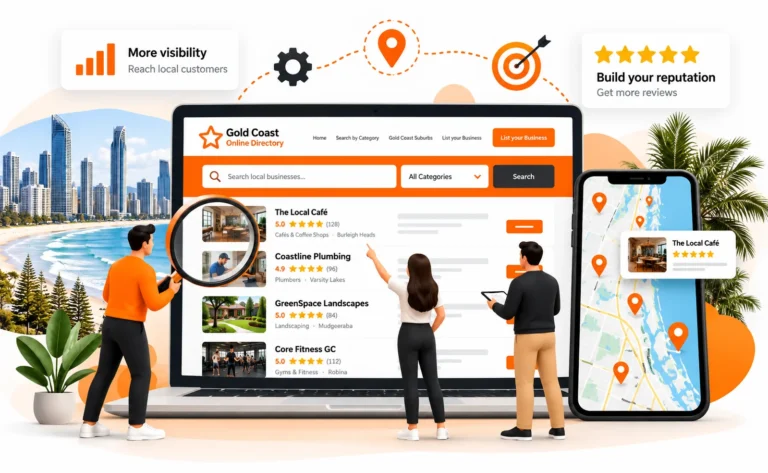
Our platform helps businesses, creators, and entrepreneurs increase their online visibility and connect with customers across Australia. Listing your website with Gold Coast Directory can help more people discover your brand and explore what you offer.
Visit Gold Coast Directory today and give your new website the exposure it deserves.