Every small business knows the feeling. You need a website, you know it matters, yet quotes from developers look like phone numbers. The good news is that modern website builders have flipped the script. Today you can launch a professional site without paying a cent upfront. Free platforms now include tools that once belonged only to expensive agencies.
These builders handle design, hosting, and security in one package. Instead of waiting months for a custom project, you can be online before the weekend ends. For owners watching every dollar, this is not just convenient—it is empowering.
Why Free Does Not Mean Cheap
Years ago, free websites looked amateur and unreliable. That reputation no longer fits. Competition between platforms has pushed quality upward while prices dropped. Templates are sleek, mobile-friendly, and built with business needs in mind.
According to the Australian Government Productivity Commission, almost 9 in 10 Australian businesses adopted digital technologies to support operations, highlighting why having a website is now essential rather than optional.
Free plans usually include hosting, basic analytics, and customer forms. You can upgrade later if the business grows, but the starting point costs nothing. The risk of trying is essentially zero.
What a Free Builder Can Do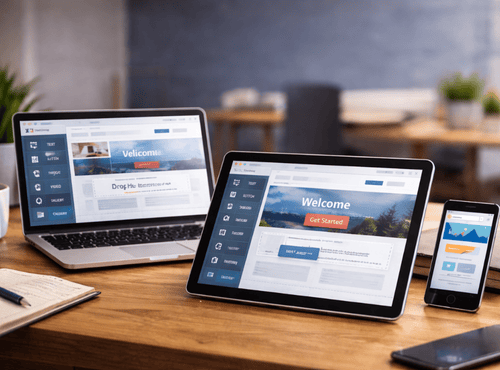
Most leading platforms now provide:
- Professional templates for many industries
- Drag-and-drop editing with no coding
- Mobile optimisation out of the box
- Contact forms and enquiry tools
- Basic SEO settings
- Secure HTTPS hosting
- Option to connect your own domain later
For a café, trades service, consultant, or online seller, these features are more than enough to begin attracting customers.
The Top Free Builders Worth Your Time
Wix – Freedom to Design
Wix offers one of the most generous free plans. You can choose from hundreds of templates and customise every element visually. The interface feels like arranging slides rather than building software. Businesses can add booking calendars, menus, or simple shops without spending a dollar.
Weebly – Simple and Solid
Weebly keeps things straightforward. Its editor is clean and easy for first-timers, and the platform connects directly with Square payments. This makes it ideal for cafés, market stalls, and micro-retailers wanting a quick online presence.
GoDaddy Website Builder – Fast Results
GoDaddy focuses on speed. Answer a few questions and the system generates a site automatically. The free tier suits tradespeople who just need contact details, photos, and a booking button online today.
Zyro by Hostinger – Smart AI Help
Zyro includes AI writing and layout suggestions that help owners who struggle with content. The free option delivers modern designs and simple ecommerce tools, perfect for startups testing ideas.
WordPress.com – Room to Grow
WordPress.com provides a free entry into the world’s most popular platform. While advanced features require upgrades, beginners can publish blogs and service pages immediately and expand later without rebuilding.
Choosing Without Stress
The best builder is not the fanciest; it is the one you will actually use. Ask three simple questions:
- Do I need online sales right away?
- Will I manage the site myself each week?
- Do I want something quick or highly customised?
Your answers point naturally toward the right platform.
Step-by-Step to Launch Today
- Pick a template close to your industry
- Replace sample images with real photos
- Write clear descriptions of services
- Add phone number and email on every page
- Test the site on your mobile phone
- Hit publish
Most owners complete these steps in a single evening.
Beating the Fear of Technology
Many business owners hesitate because they are not “tech people.” Builders remove that barrier. Buttons are labelled in plain English, and mistakes can be undone instantly. Think of it like using social media with more structure.
Confidence grows quickly once you see your first page live.
Smart Ways to Use Free Plans
Free versions usually display a small platform logo and use a sub-domain address. This is fine while testing ideas or starting out. When sales begin, you can upgrade to remove branding and connect your own domain name.
Treat the free plan as a launchpad rather than a limitation.
Avoid These Common Traps
Overdesigning – Too many colours and fonts distract visitors. Keep it simple.
Ignoring mobile – Most customers will view the site on a phone.
Forgetting calls to action – Tell people exactly how to contact you.
Using stock photos only – Real images build trust.
Learning these basics saves hours of frustration.
Turning Visitors into Customers
A website should guide people to take the next step. Include:
- Clear service descriptions
- Easy enquiry forms
- Visible phone numbers
- Testimonials from real clients
- Links to social media
Even a free site can become a powerful sales tool when organised well.
When to Upgrade
Upgrading makes sense when:
- You want a custom domain name
- Online payments increase
- You need email marketing tools
- You require more storage or pages
By that stage the website is already helping the business pay for itself.
Real-World Wins
Local trades have won contracts after clients found their free site on Google. Home bakers have sold out weekend menus through simple online stores. Consultants have filled calendars using built-in booking tools. These results come from action, not big budgets.
Your competitors are already using these tools. There is no reason to stay invisible.
The Power of Doing It Yourself
Building your own site teaches valuable skills. You learn how customers search, what information they need, and how to present offers clearly. This knowledge improves every part of marketing, online and offline.
Ownership also means independence. You are not waiting on a developer for small changes.
A Future-Proof Start
Free builders are designed to grow with you. As revenue increases, new features can be added without starting again. The platform becomes the foundation for newsletters, online stores, and booking systems.
Starting small no longer limits ambition.
Take Control Today
Struggling with a website is optional. The tools to build a professional presence are already in your hands and they cost nothing to try. Pick a platform, spend a few focused hours, and watch your business step into the digital world with confidence.
You do not need permission, coding skills, or a big budget—just the decision to begin.
Need help choosing the best free builder for your business?
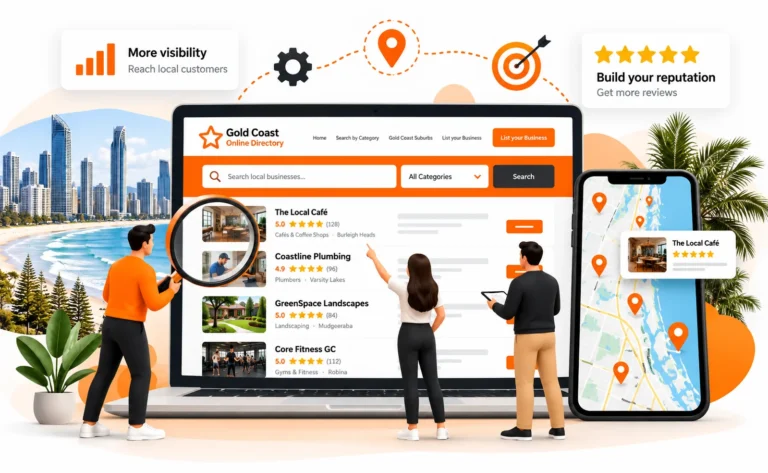
Explore practical guides, local listings, and support through Gold Coast Online Directory, helping budget-conscious owners get online and get found.
FAQs
1. Can I really build a professional website for free?
Yes. Many modern website builders offer free plans that include templates, hosting, HTTPS security, contact forms, and mobile-friendly design. While upgrades unlock extra features, you can launch a functional business website at no upfront cost.
2. What are the limitations of free website builders?
Free plans often display platform branding, use a subdomain (for example, yourname.builder.com), and limit advanced features like ecommerce, storage, or custom email accounts. These limitations can be removed by upgrading later.
3. Which free website builder is best for small businesses?
Wix, Weebly, GoDaddy Website Builder, Zyro, and WordPress.com all offer free plans. The best choice depends on your goals—Wix suits creative control, Weebly is simple and practical, and WordPress.com allows future growth.
4. Will a free website rank on Google?
Yes, a free website can rank on Google if it is properly structured, mobile-friendly, and contains relevant content. Basic SEO tools are included in most free builders to help optimise titles, descriptions, and page structure.
5. When should I upgrade from a free website plan?
Upgrading makes sense when you want a custom domain name, need advanced ecommerce tools, require more storage, or want to remove platform branding. Many businesses upgrade once their website begins generating enquiries or sales.