Running a small business already feels like juggling with one hand. Between customers, invoices, and suppliers, building a website can slip to the bottom of the list. The good news is that modern website builders have turned what used to be an expensive, technical project into something almost anyone can manage over a weekend.
A smart website builder does more than create pretty pages. It handles bookings, payments, stock, and marketing without demanding a degree in coding. For many small businesses, the right platform becomes a quiet team member working day and night.
Below are seven builders that consistently help Australian businesses get online quickly and professionally.
1. Wix – The Friendly All-Rounder
Wix remains popular because it is genuinely easy. Drag-and-drop editing lets owners move text and images like pieces on a board. Hundreds of templates cover trades, cafés, beauty salons, and service companies, so most businesses find a design that fits immediately.
Built-in tools manage online bookings, menus, and simple online stores. The App Market adds extras such as chat widgets and email marketing. For owners who want control without complexity, Wix feels welcoming rather than intimidating.
2. Squarespace – Style with Substance
If appearance matters most, Squarespace deserves attention. Its templates are clean and modern, perfect for photographers, designers, and boutique retailers. The platform handles blogging and ecommerce smoothly while keeping layouts consistent across devices.
Squarespace includes strong analytics and email campaign features, reducing the need for third-party tools. The learning curve is slightly steeper than Wix, yet the polished results often justify the effort.
3. Shopify – Built for Selling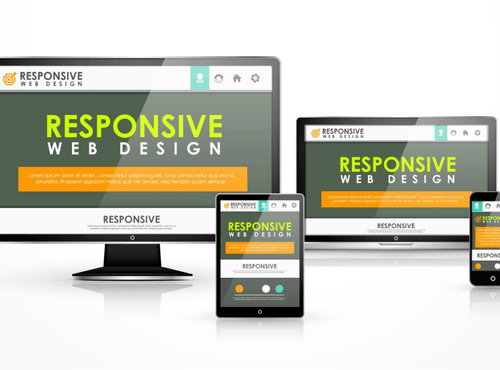
Businesses focused on online sales should consider Shopify first. It is designed around product management, payment processing, and shipping integration. Even beginners can create a professional store with secure checkout in hours.
Shopify connects easily with social media shops and marketplaces, helping small brands reach customers wherever they browse. Monthly fees are higher than basic builders, but the sales power usually covers the cost.
4. WordPress with Elementor – Flexibility King
WordPress powers a huge portion of the internet for good reason. Combined with page builders like Elementor, it offers almost unlimited customisation. Owners can start with simple pages and expand into complex membership sites or directories later.
The trade-off is responsibility. Updates, hosting, and security require a little more attention. For businesses that expect to grow or need unique features, WordPress provides room to evolve without changing platforms.
5. GoDaddy Website Builder – Quick and Practical
GoDaddy’s builder targets owners who simply need a reliable online presence fast. Setup wizards ask a few questions and generate a site automatically. Editing is straightforward, and hosting is included.
While not as stylish as some competitors, it suits trades and local services that prioritise clear information over design flair. Integrated appointment booking and email marketing add useful value.
6. Weebly – Simple and Budget Friendly
Weebly, now part of Square, focuses on affordability and ease. Its interface is uncluttered, making it ideal for first-time users. Small online stores connect directly with Square payment terminals, handy for cafés and market stalls.
Features are more basic than premium platforms, yet many micro-businesses need nothing more than a few pages and a contact form. Weebly delivers that without fuss.
7. Zyro (Hostinger Website Builder) – Smart Newcomer
Zyro has grown quickly thanks to low prices and clever AI tools. The platform can generate text, logos, and heatmap suggestions for layout. Templates are modern and mobile-friendly.
For start-ups watching every dollar, Zyro provides impressive value with ecommerce options included in affordable plans.
How to Choose Without Headaches
With so many choices, the best builder is the one that matches daily operations rather than marketing hype. Consider these questions before committing.
What is the main goal?
If selling products is priority, Shopify or Squarespace makes sense. For local services needing bookings, Wix or GoDaddy may be better.
How much time can you invest?
Owners who enjoy tinkering may love WordPress flexibility. Those short on time should choose simpler platforms.
Will the business grow?
Think about future needs such as memberships, multilingual pages, or advanced reporting. Switching platforms later can be painful.
Do you need Australian support?
Local payment options, GST handling, and time-zone support matter more than glossy templates.
Features Every Small Business Should Expect
Regardless of platform, a modern business website should include:
- Mobile-friendly design
- Fast loading pages
- Clear contact details
- Secure HTTPS connection
- Simple enquiry forms
- Google integration for maps and reviews
- Basic analytics to track visitors
If a builder cannot deliver these, keep looking.
Common Mistakes to Avoid
Choosing on price alone – The cheapest plan can become expensive if it lacks essential features.
Ignoring SEO basics – A beautiful site that cannot be found is a digital business card in a drawer.
Overloading with extras – Too many apps slow pages and confuse visitors.
Forgetting content – Builders provide structure, but real value comes from clear descriptions and photos.
Getting Online in a Weekend
Most builders follow similar steps:
- Select a template close to your industry
- Replace images with your own photos
- Add services, prices, and contact details
- Connect a domain name
- Test on a mobile phone
- Publish and share on social media
The process is far less daunting than many owners expect.
When to Ask for Help
Website builders are powerful, yet guidance can save hours. Professionals can optimise pages for search, write persuasive copy, and ensure compliance with privacy rules. Many businesses start alone and later invite experts to polish the result.
Asking for help is not failure; it is smart delegation.
The Payoff for Small Businesses
A good website works while you sleep. It answers common questions, captures enquiries, and builds credibility with new customers. For local businesses competing against larger brands, an organised online presence levels the playing field.
According to the Australian Bureau of Statistics, 97.1% of Australian businesses already use internet access to support their operations, highlighting how essential a strong online presence has become for visibility, communication, and growth.
Instead of relying solely on social media, owners gain a space they control completely.
Choosing Your Next Step
There is no single perfect builder, only the right match for your goals. Take advantage of free trials, experiment with a few platforms, and notice which feels comfortable. The best tool is the one you will actually use.
Getting online no longer requires technical talent or huge budgets. With today’s builders, small businesses can launch professional sites in days and focus on what they do best—serving customers.
Need help deciding which website builder suits your business?
Discover local resources, business listings, and practical advice at Gold Coast Online Directory, helping small businesses get found and grow online.
FAQs
1. What is the best website builder for small businesses in Australia?
The best website builder depends on your business goals. Shopify is ideal for ecommerce, Wix and Squarespace suit service-based and creative businesses, while WordPress offers flexibility for long-term growth.
2. Can I build a professional website in a weekend?
Yes. Most modern website builders provide templates, drag-and-drop editors, and guided setup tools that allow small businesses to launch a professional website within a few days.
3. Do website builders include hosting and security?
Most website builders, such as Wix, Squarespace, Shopify, and GoDaddy, include hosting and HTTPS security in their plans. WordPress requires separate hosting and security management.
4. Is WordPress better than drag-and-drop website builders?
WordPress offers greater flexibility and scalability but requires more setup and maintenance. Drag-and-drop builders are easier for beginners who want speed and simplicity.
5. What features should every small business website include?
A small business website should have mobile-friendly design, fast loading speeds, clear contact information, secure HTTPS, enquiry forms, Google Maps integration, and basic analytics tracking.