Publish Date: April 24, 2026
Most websites treat images as decoration. They support layout, improve aesthetics, and help explain ideas. What often gets overlooked is their role in search engine optimisation. Images are not passive elements sitting behind the content. They contribute to how search engines interpret a page and how users engage with it once they arrive.
For creative professionals, this becomes more than a technical detail. Your work is visual by nature. Whether you are presenting branding, photography, or web design, your images are the product. If those images are not optimised, they are not working at full capacity. SEO image optimisation bridges that gap. It allows visual assets to contribute to traffic, visibility, and enquiries instead of simply supporting the page visually.
This article focuses on how to approach image optimisation in a structured, practical way, particularly within WordPress websites and service-based environments.
Why Images Are Undervalued in SEO
Images are often treated as secondary because traditional SEO discussions focus heavily on text. Keywords, headings, and content structure dominate most strategies. As a result, images are uploaded quickly, labelled generically, and left unmanaged. Over time, this creates a library of assets that look good but contribute very little to search visibility.
Search engines cannot interpret images in the same way users do. They rely on surrounding context, file data, and technical signals to understand what an image represents. Without that context, even high-quality visuals remain invisible in search results. This is where the disconnect happens. A well-designed page can still underperform because its visual content is not accessible to search engines.
In practical terms, this shows up in several ways. A portfolio page might showcase strong work but receive little traffic from image search. A service page may load slowly because of oversized files, reducing engagement. These issues are not design problems. They are optimisation gaps that directly affect performance.
What SEO Image Optimisation Actually Means
SEO image optimisation is the process of aligning images with both search engine requirements and user expectations. It involves structuring, describing, and delivering images in a way that supports visibility and performance.
File Names and Context
File names are one of the simplest signals available, yet they are frequently ignored. A file named IMG_2045.jpg provides no context. Renaming it to reflect the content of the image gives search engines an immediate clue about relevance.
This becomes more effective when aligned with page intent. For example, a WordPress web design project for a Gold Coast business should have image file names that reflect both the service and the location. This consistency reinforces the overall topic of the page.
From a practical standpoint, this requires a simple habit change. Rename files before uploading rather than trying to correct them later. It keeps the media library organised and ensures each asset contributes to the page it supports.
Alt Text and Accessibility
Alt text serves two functions. It provides accessibility for users relying on screen readers and offers descriptive context for search engines. The goal is clarity, not keyword repetition.
Effective alt text describes what is visible in the image while maintaining alignment with the page topic. For example, describing a homepage layout, a branding element, or a responsive design preview gives both users and search engines meaningful information.
This matters because accessibility and SEO are closely linked. A website that is easier to interpret for assistive technologies is also easier for search engines to understand. The outcome is stronger relevance signals and improved usability.
Image Size and Performance
Image size directly affects how quickly a page loads. Large files increase load time, which impacts both rankings and user behaviour. Users are less likely to engage with slow pages, particularly on mobile devices.
Research from the Australian Digital Inclusion Index shows that users with lower digital capability or mobile-only access are more affected by slow-loading websites, reinforcing the need for efficient image optimisation to support accessibility and usability.
Optimisation here involves compressing images without sacrificing visible quality. This ensures the site remains visually strong while performing efficiently. For WordPress websites, this step is essential because media-heavy pages can quickly become performance bottlenecks.
A practical example is a portfolio page with high-resolution images. Without compression, it may take several seconds to load. With proper optimisation, the same page can load significantly faster while maintaining visual clarity.
How Images Drive Organic Traffic
Images contribute to traffic in ways that are often underestimated. They do not replace text-based SEO but extend its reach.
Google Image Search Visibility
Optimised images can appear in Google Image search results. For creative professionals, this creates an additional discovery channel. Users searching for design examples, layouts, or visual inspiration often browse images first.
Each indexed image becomes a potential entry point. Instead of relying solely on page rankings, the website gains multiple opportunities to attract visitors.
A common scenario is a designer whose portfolio images begin appearing in search results. Even if the main page is not ranking highly, the images themselves can drive targeted traffic.
Featured Snippets and Rich Results
Images also support enhanced search results. Pages that include well-structured content and relevant visuals are more likely to appear in featured snippets or rich results.
This improves visibility and increases the likelihood of clicks. Search engines prioritise content that provides clear, useful information supported by appropriate visuals.
For example, a guide explaining web design principles that includes relevant images may appear more prominently than a text-only alternative.
Engagement Signals and UX
Images influence how users interact with a page. Strong visuals improve comprehension and make content easier to navigate. This leads to longer time on page and deeper engagement.
These behavioural signals indicate to search engines that the content is valuable. While not direct ranking factors in isolation, they contribute to overall performance.
From a business perspective, this translates into better user experience and higher conversion potential. Users who understand what they are seeing are more likely to take action.
The Role of SEO Image Optimisation in WordPress Websites
WordPress websites offer flexibility, but they also require structured management. Without clear processes, image optimisation becomes inconsistent.
Theme and Responsive Design Considerations
Responsive design ensures images adapt across devices. This is critical given the volume of mobile traffic. Images must scale correctly without breaking layout or slowing performance.
Themes play a significant role here. Poorly configured themes may load oversized images or fail to adjust them for different screen sizes. This affects both usability and SEO performance.
A practical approach involves testing pages across devices and ensuring images load efficiently on smaller screens. This prevents common issues such as distorted layouts or slow mobile load times.
Plugins and Automation
WordPress allows automation through plugins, which simplifies ongoing optimisation. Compression tools, lazy loading features, and format converters reduce manual workload.
However, automation does not replace manual input. File names, alt text, and contextual alignment still require attention. Plugins handle efficiency, while content decisions require intent.
For example, a compression plugin can reduce file size automatically, but it cannot determine whether an image is relevant to the page or properly described. Both elements need to work together.
Technical Factors That Affect Image SEO
Technical performance determines how effectively images contribute to SEO.
Core Web Vitals and Load Speed
Core Web Vitals measure user experience through loading speed, interactivity, and visual stability. Images influence all three. Large or poorly loaded images slow down pages and create layout shifts.
These issues reduce page quality signals. Over time, this affects rankings and user trust. A page that loads inconsistently creates friction, even if the content itself is strong.
In practical terms, improving image handling often leads to noticeable performance gains. Reducing file size and improving loading behaviour can significantly improve page speed scores.
Image Formats and Compression
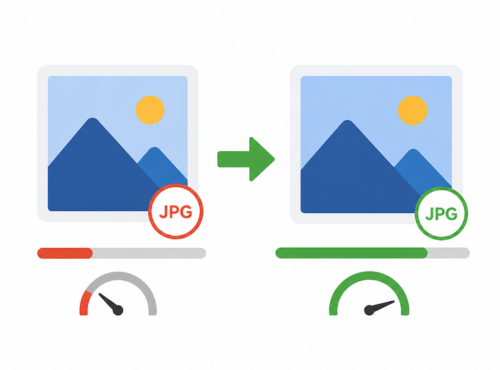
Choosing the right format affects both quality and performance. Modern formats such as WebP offer smaller file sizes without visible loss in quality.
Compression tools further optimise images, ensuring they load quickly while maintaining clarity. This balance is essential for visually driven websites.
A typical scenario involves converting large JPEG images into WebP format and applying compression. The result is a faster page with minimal visual difference.
Lazy Loading and Rendering
Lazy loading delays image loading until it is needed. This improves initial page speed and reduces unnecessary resource usage.
For content-heavy pages, such as portfolios or directories, this approach ensures that only visible images load immediately. The rest load as the user scrolls.
This improves both performance and user experience. Pages feel faster, and users are less likely to abandon them before content fully loads.
Image SEO for Creative Professionals
Creative professionals rely heavily on visuals to communicate value. This makes image optimisation a core part of their strategy rather than an optional enhancement.
Portfolio Visibility
Each image within a portfolio has the potential to rank independently. This expands visibility beyond traditional page rankings.
A well-structured portfolio allows individual pieces of work to appear in search results. This increases exposure and attracts users who are actively searching for similar styles or services.
For example, a branding project with properly optimised images can appear in searches related to logo design or brand identity. This creates additional entry points beyond the main portfolio page.
Branding Through Visual Search
Search behaviour continues to shift toward visual discovery. Users often search for ideas rather than services. They look for layouts, styles, and references.
Optimised images position your work within these searches. This introduces your brand earlier in the decision-making process.
Over time, this builds recognition. Users may not convert immediately, but consistent exposure increases familiarity and trust.
Common Image SEO Mistakes
Several recurring issues limit the effectiveness of image optimisation.
Uploading large, uncompressed images is one of the most common. It slows down the site and affects performance metrics. Generic file names and missing alt text reduce search visibility. Ignoring mobile responsiveness leads to poor user experience on smaller devices.
Another frequent issue is overusing images without purpose. Adding visuals that do not support the content creates clutter and reduces clarity.
Addressing these mistakes often leads to immediate improvements. In many cases, performance gains come from correcting basic issues rather than implementing complex strategies.
A Practical Workflow for SEO Image Optimisation
A structured workflow ensures consistency and reduces errors across the website.
Start by renaming the file before upload. Compress the image using appropriate tools and ensure it matches the required dimensions. Upload it to WordPress with attention to placement and context.
Add descriptive alt text that reflects the content of the image and the page. Choose the appropriate format, ideally WebP where supported. Enable lazy loading to improve performance.
Finally, test the page. Review load speed, mobile performance, and visual presentation. This step ensures that optimisation is not only implemented but effective.
Applying this workflow consistently keeps image management organised and aligned with SEO objectives.
Connecting Image SEO to Business Growth
SEO image optimisation connects directly to business outcomes. It influences how users discover, interact with, and respond to a website.
For small business websites on the Gold Coast, competition is strong across both design and SEO. Visual quality alone is not enough. Performance, accessibility, and visibility determine whether a site generates enquiries.
Optimised images support higher traffic through search visibility, improve engagement through better user experience, and contribute to conversions by presenting information clearly.
For an online directory such as Gold Coast Websites Online Directory, this approach also improves how listings are displayed and discovered. Strong visual presentation combined with optimisation increases the likelihood of user interaction.
SEO Image Optimisation for Better Website Visibility
Images play a larger role in SEO than most websites account for. They influence performance, visibility, and user engagement. When handled correctly, they become functional assets rather than passive design elements.
SEO image optimisation provides a structured way to extract value from visual content. It aligns design with performance and supports both traffic growth and user experience.
If your website relies on visual content but is not delivering consistent traffic or enquiries, reviewing how images are managed is a practical starting point. Gold Coast Websites Online Directory supports businesses with WordPress web design, SEO optimisation, and ongoing website maintenance. Contact us to discuss your website and request a quote.